
q_Pilot Studio
Ask questions, generate reports, and surface insights in plain language. Connected to your live batch release data from day one.
Get in touch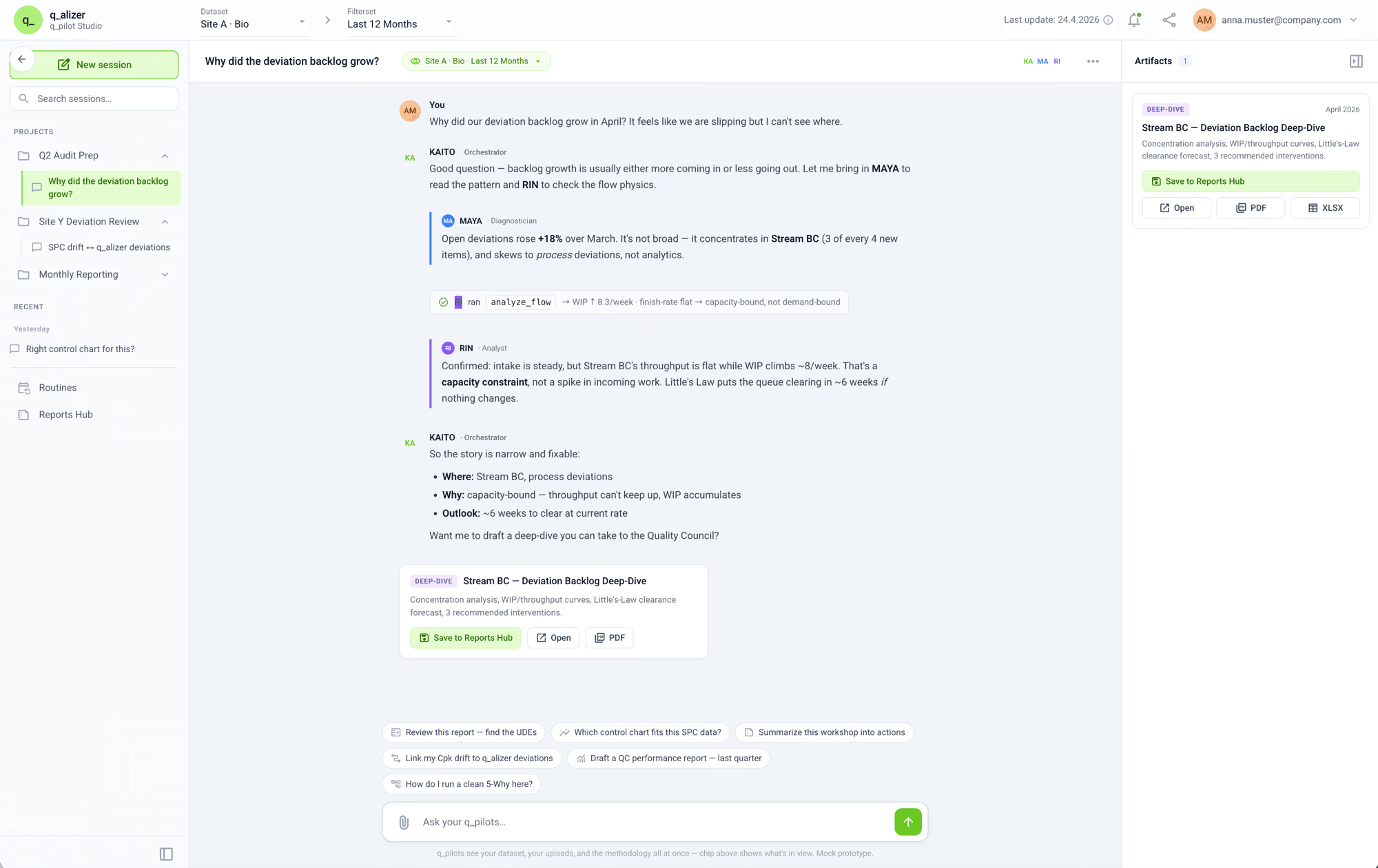
Features
Ask questions in plain language about open batches, deviations, analyst workloads, or release status. q_Pilot answers instantly.
Generate audit-ready reports directly from live data. No manual exports, no formatting, just ask and download.
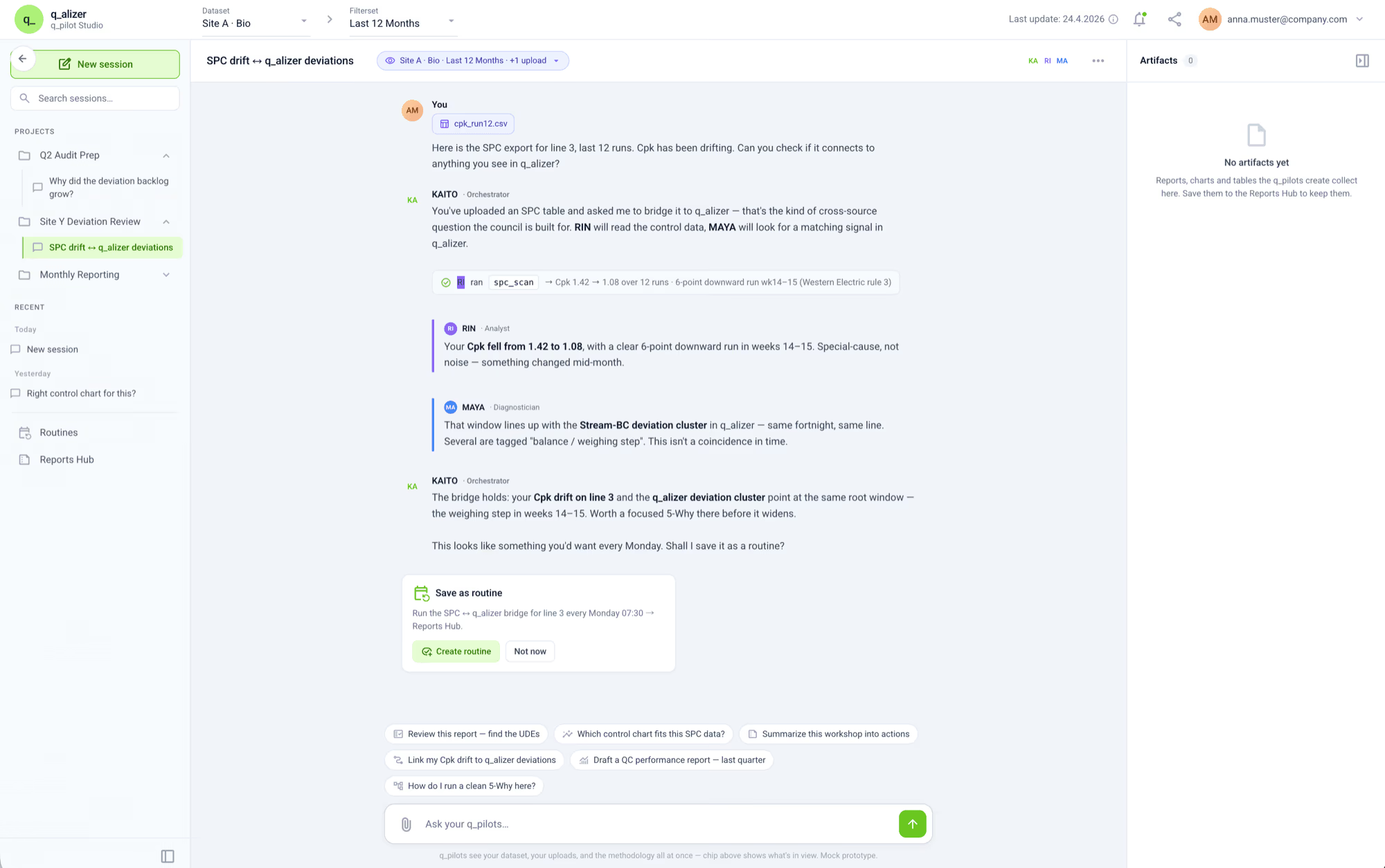
Deploy ready-made AI agents for recurring QC tasks: deviation triage, batch status summaries, KPI alerts, and more.
Build and configure your own Pilots in q_Pilot Studio, tailored to your team's specific workflows and data.
How it works
q_Pilot Studio reads directly from your q_alizer data: batches, deviations, QC results, CAPAs, so every answer reflects the current state of your operations.
Ask in plain language. q_Pilot understands QC and batch release context: no prompt engineering, no setup, no technical knowledge needed.
Turn repetitive tasks into Pilots. Schedule them, trigger them manually, or let them run automatically and get results delivered where your team works.