Handshake, powered by q_alizer
A white-label customer portal, branded to you. Your customers see promised dates, current status, and what is waiting on their response, without needing to email or call you for an update.
Get in touch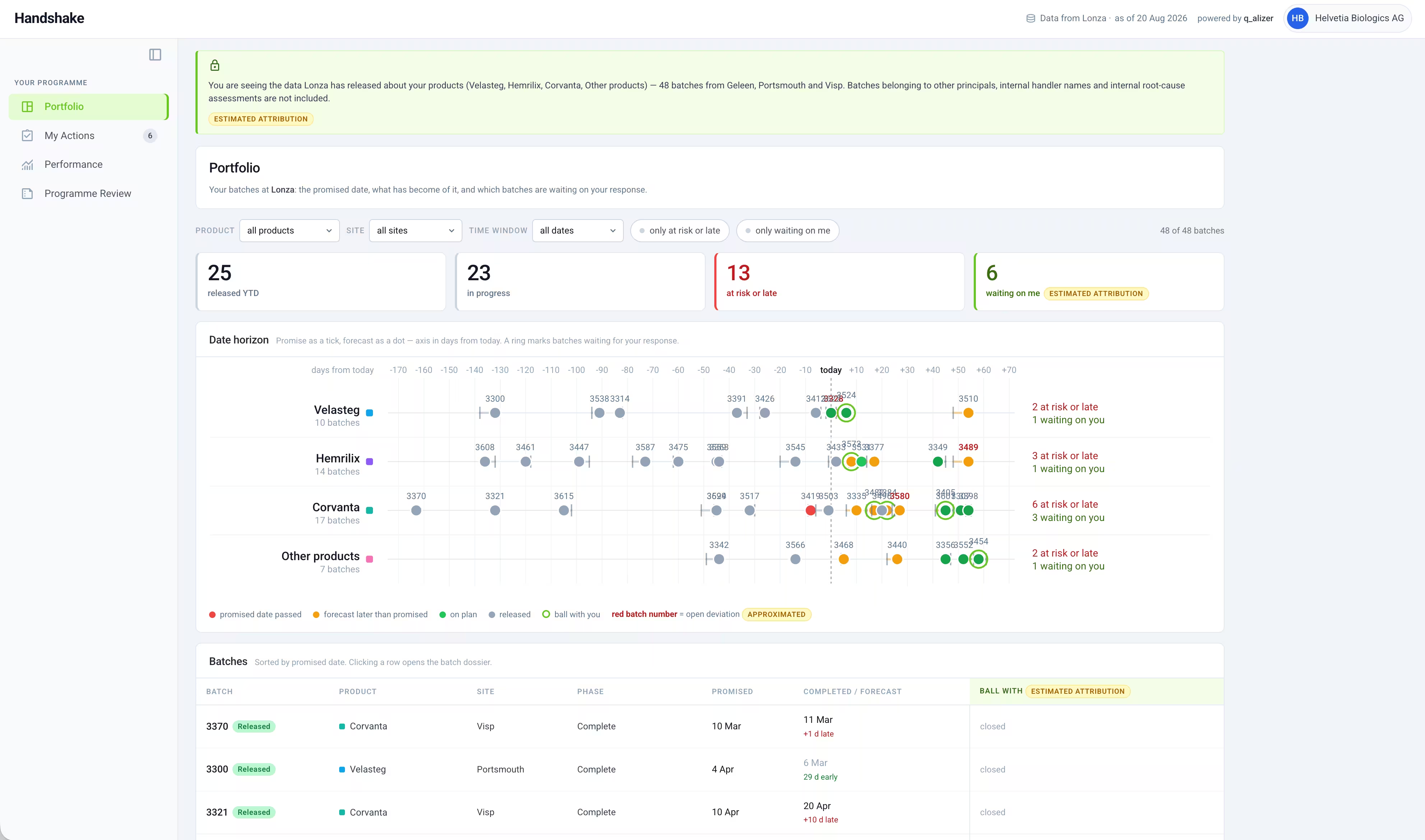
Definition
Handshake is a white-label customer portal powered by q_alizer. It gives CDMO customers a live view of their own batch portfolio, branded to the CDMO, without exposing internal handler names, working dates, or root cause detail.
Who it's for
Built for CDMOs who want to give their customers self-service visibility into batch status, without building or maintaining their own customer portal.
The problem
Customers routinely reach out by email or call to ask where their batch stands. Providing these updates manually is repetitive, inconsistent, and pulls staff away from actual batch release work.
The solution
Each customer gets a live, branded view of their own portfolio: promised dates, status, and what is waiting on their response, with a defined set of internal fields deliberately withheld.
Modules
Every batch your customer has with you, filterable by product and by site. Promised date, current status, and what is waiting on their response, all in one place.
Items that need the customer's attention: batches for review and agreement, completed documentation waiting on countersignature, and anything else sitting with them rather than with you.
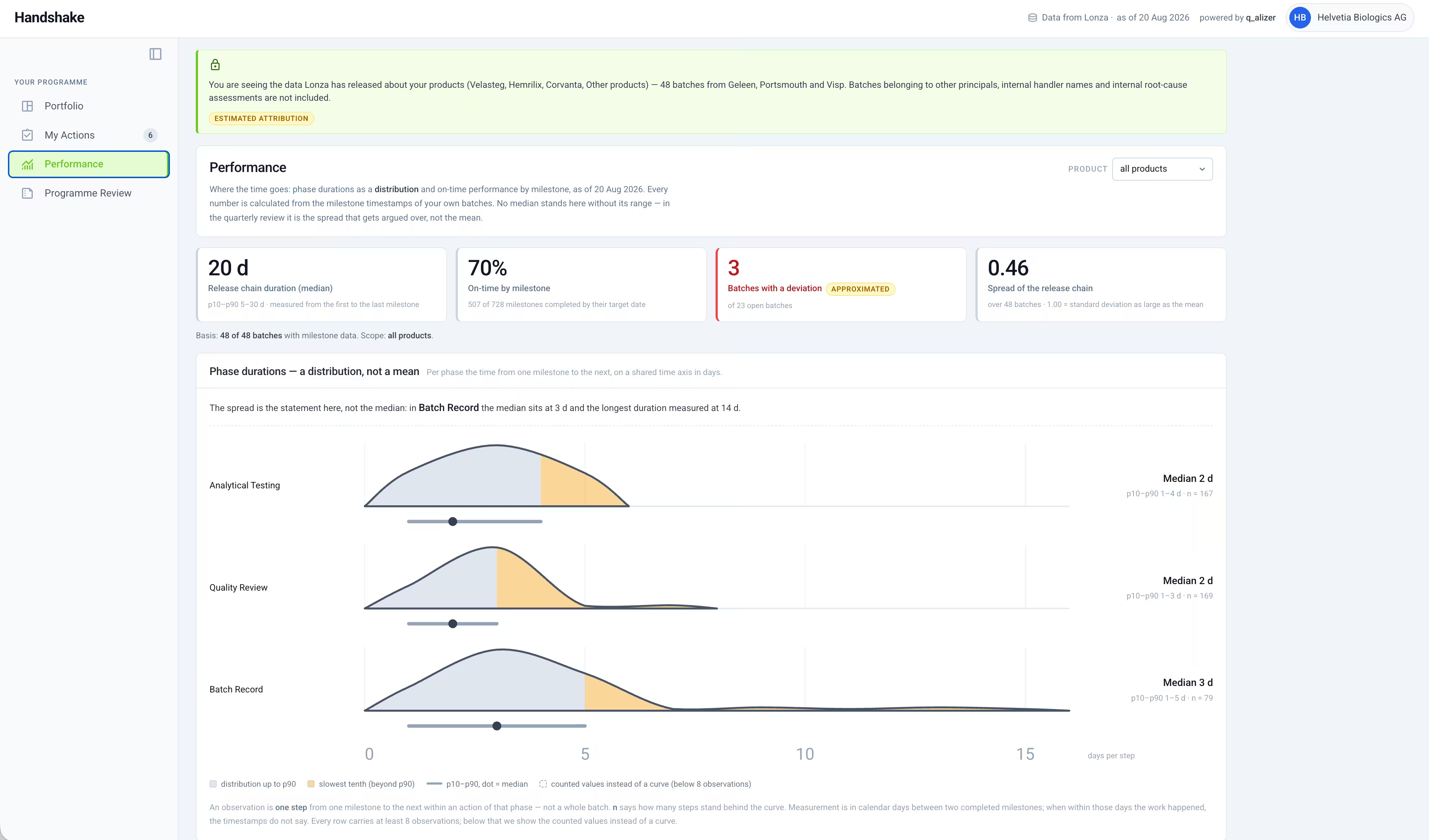
On-time delivery by milestone, release chain duration, and how consistent that duration is across batches, so customers can see your track record, not just individual batch status.
A consolidated view for periodic business reviews: batches released year to date, in progress, at risk or late, and what is currently waiting on the customer.
Feature Details
The same batch data, shown differently. Your team keeps the full internal picture, your customer sees a branded view scoped to what they need.
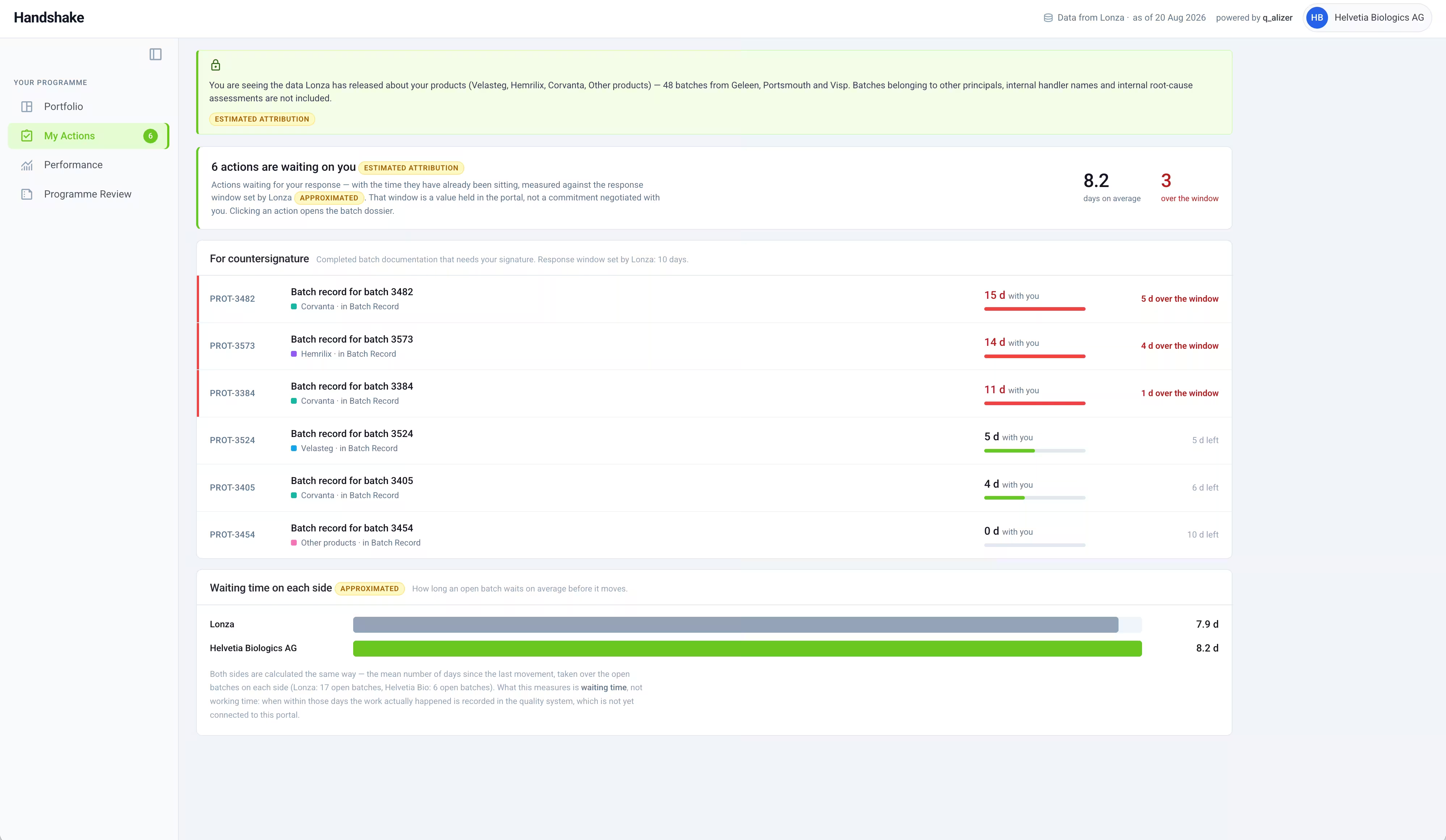
Routine "where is my batch" questions move to self-service. What is left for a call is the conversation that actually needs a person.
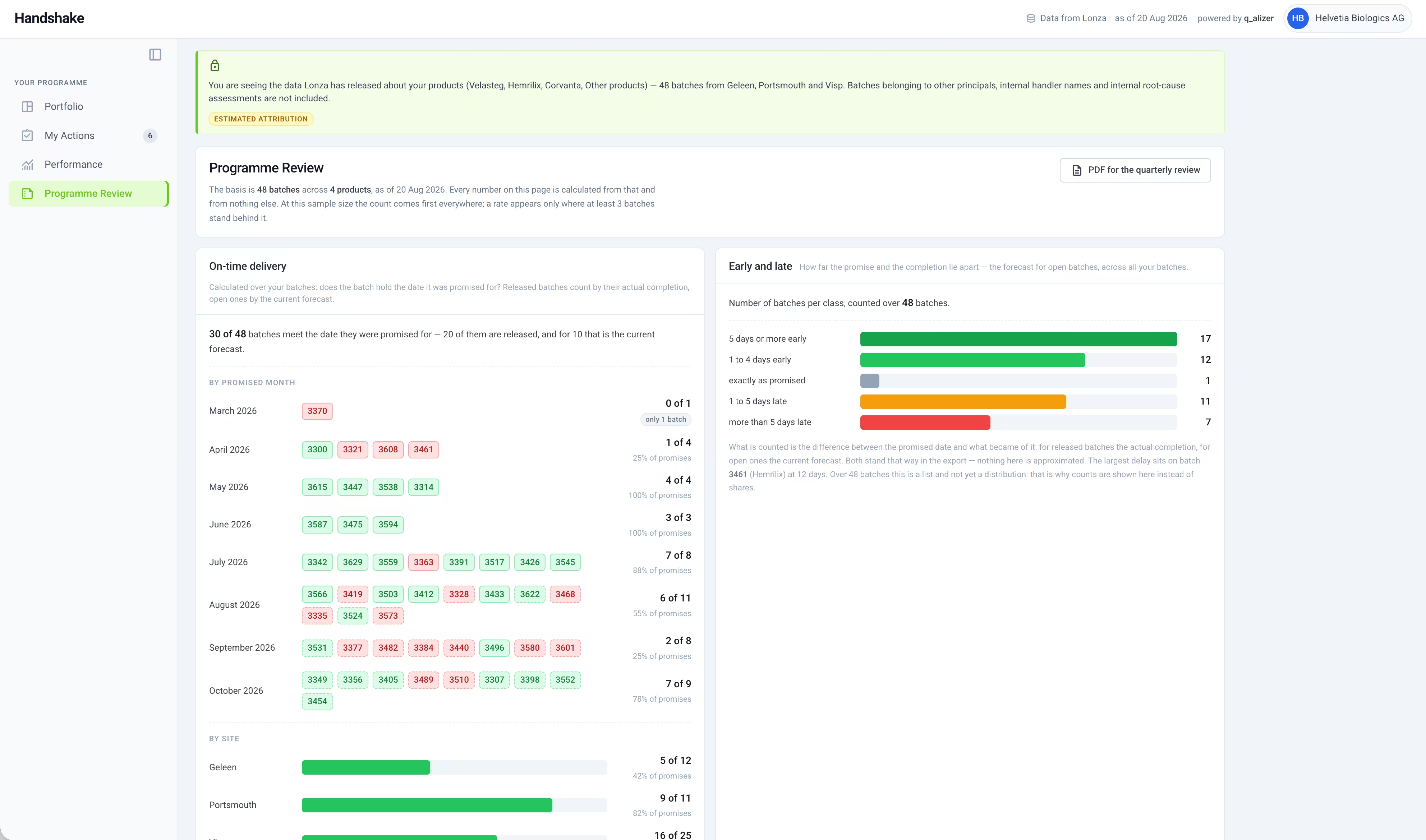
Wordmark, accent colour, and access are configured per customer at rollout, so the portal reads as yours from the first login.
How it works
Your wordmark, your accent colour, and "Data from [Your Company]" on every page. Handshake stays visible as your product to your customer, q_alizer is the technology underneath, not the name on the screen.
A defined set of internal fields, such as the name of the responsible person, your internal working due date, and internal root cause notes, is never included in the customer facing view. The portal states plainly which fields are held back and why, so nothing is hidden without explanation.
An internal view shows every field, including what the customer facing version withholds, so your team can always verify exactly what is being shared before it goes out.
Portal sections
Portfolio, My Actions, Performance, Programme Review
Data withheld from customer view
Responsible person, internal working due date, internal risk notes, internal stream codes
Branding
White-label, your wordmark and accent colour, q_alizer as the underlying technology
It replaces the manual status update, not the relationship. Customers get self-service visibility into routine status questions, freeing your team for conversations that actually need a person.
A defined set of internal fields, such as the responsible person, internal working dates, and internal root cause notes, is excluded from the customer facing view by design, and the portal states this openly rather than hiding it silently.
Yes. Each customer sees only their own batch portfolio, partitioned from data belonging to other customers or principals.